
Demo: a Mac screen with an email being written. Inkbie, a small ink drop, lives in the bottom-right corner. Hold fn and talk, and your words appear beside it; let go, and they are typed into the email. Your circle of friends sits in the bottom-left corner.
Free voice typing for MacSpeak your mind.
Hold fn and talk. Inkbie floats out of the corner of your screen and types your words wherever you're typing. It's free, works offline and runs on your Mac.
- fn01Hold fnInkbie floats out of the corner of your screen and listens.
- can we movethe standup02TalkYour words build beside it as you say them.
- Typed into Mail…to Thursday?03Let goIt flicks them to wherever your cursor is.
- To Samship it04Or start with a nameIt runs as ink to that friend's corner instead.
Quiet until you need it.
Everything Inkbie does lives in three places: the corner of your screen, the menu bar and one small Settings window. Here's all of it.
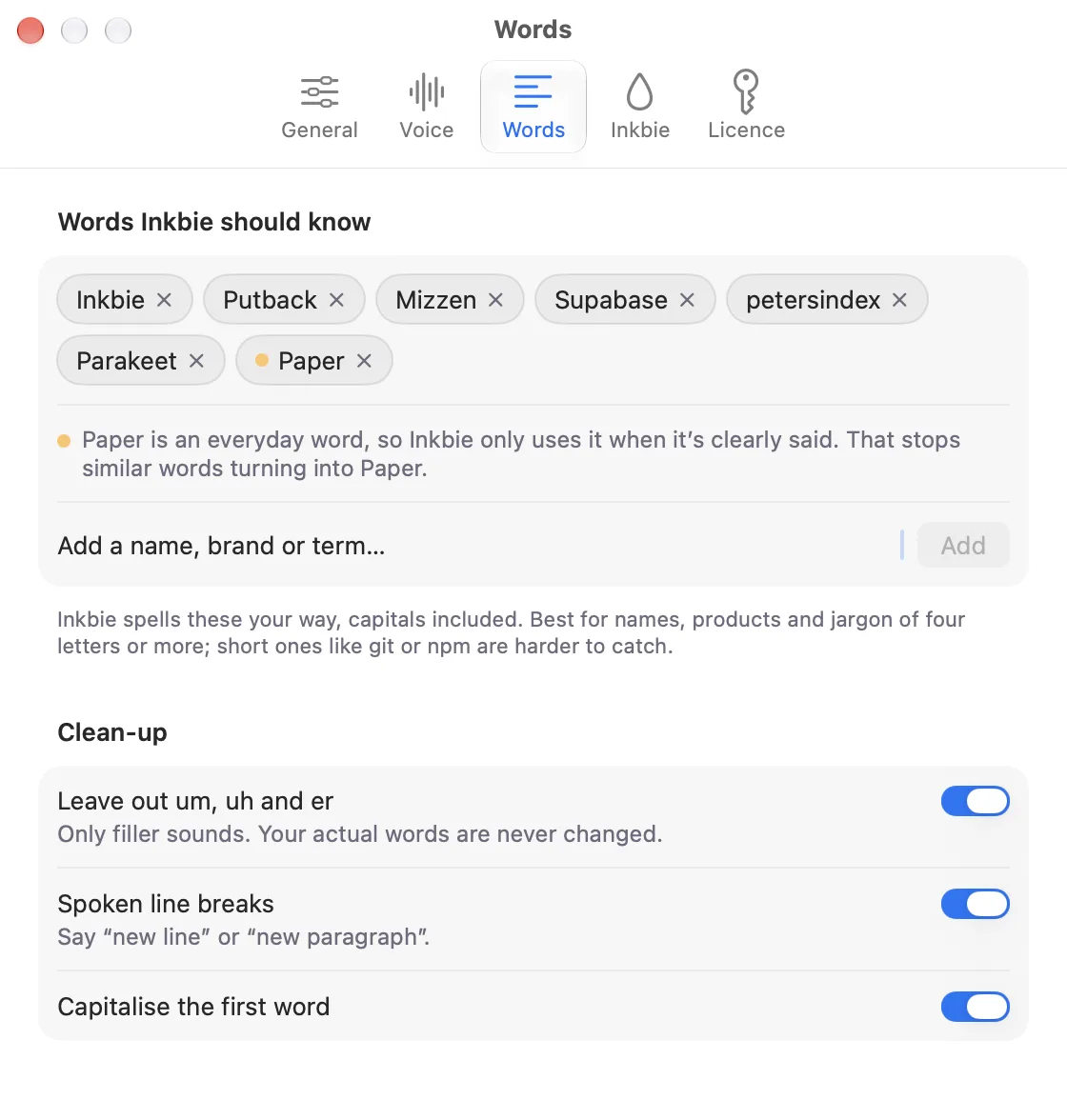

Add the names, brands and jargon you use. Inkbie spells them your way, capitals included. Um, uh and er are left out, and nothing else you say is changed.
Double-tap fn and keep talking, as long as you like. The badge tells you Inkbie's staying out. One more tap and you're done.
Add the names, brands and jargon you use. Inkbie spells them your way, capitals included. Um, uh and er are left out, and nothing else you say is changed.
Inkbie sits in the corner of whichever screen you're using, a MacBook or a big external display.
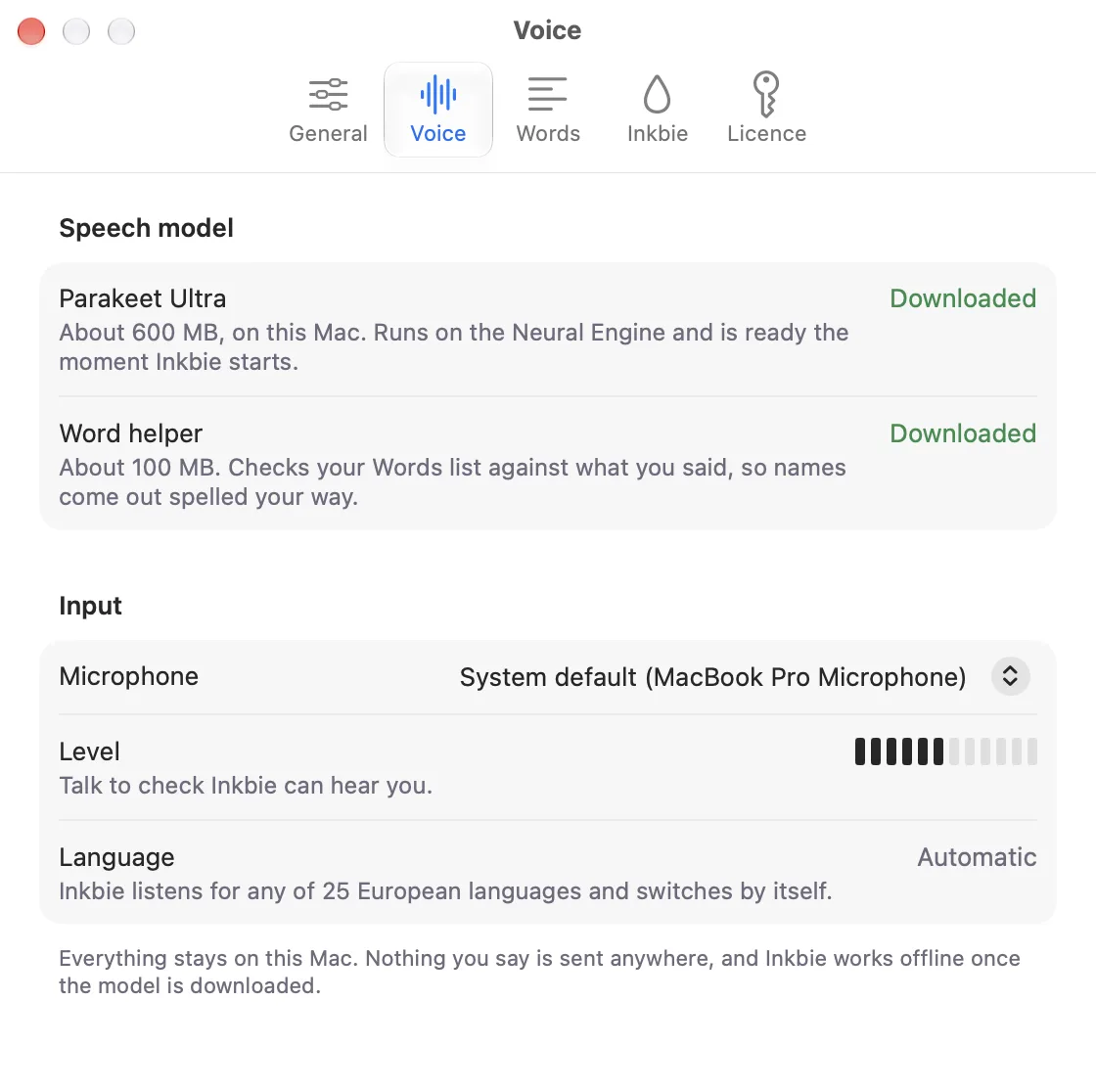
Inkbie's voice model lives on your Mac and runs there, on Apple silicon or Intel. One download, about 600 MB, then no connection needed.
Words went to the wrong place? Your last take is one shortcut away in the menu bar. It's kept in memory only, never on disk.
Why not Dictation?
Your Mac already has Dictation, and it's decent. Both can run entirely on your Mac. Here's where Inkbie is different.
Mac Dictation as of macOS 27, from Apple's Dictation guide. The full comparison. Using Wispr Flow? Here's how Inkbie compares.
Inkbie, in plain words.
Inkbie is a free voice typing app for Mac. Hold fn, talk, and your words are typed into whatever app you're using.
- Free for good
- No trial, no account, no card.
- Works offline
- Runs on your Mac after one download, about 600 MB.
- Private
- What you say becomes text on your Mac, and the recording is thrown away.
- Any app
- Anywhere you can type. No text field? Your words go to the clipboard.
- 25 European languages
- English included. It hears which one you're speaking.
- Your key
- Hold fn, Right ⌥, Right ⌘ or your own shortcut. Double-tap for hands-free.
- Your words
- Names and jargon, spelled your way. Say “new line” or “new paragraph”.
- Needs
- Apple silicon and Intel Macs, macOS 14 or later.
- Who makes it
- Peter, on his own, as petersindex. Questions go straight to him at support@inkbie.com.
Drop Sam a line.
Say a name first and Inkbie sends the rest along the bottom of your screen to that friend instead of typing it. Voice notes without the app, the inbox or the ping. Start a circle with up to five friends and it's yours.
- 1Hold fnSame key as voice typing. Your circle sits in the bottom-left corner, each friend in their own ink.
- 2Start with a name“Sam, are we still on for six?” A name first makes it a drop. Sam floats up out of his corner and a To Sam badge shows.
- 3Let goThe drop dives into your corner and runs as ink along the bottom of the screen to Sam. Nothing is typed, and there's no send button.
- 4It waitsSam's on a call, so it waits. No sound, no banner, no badge.
- 5It landsWhen Sam's free, your Inkbie floats up out of his circle's corner with your words. He hears it in your voice, or holds fn to answer.
Your friends sit in your circle's corner, up to six, each in their own ink. Eyes open: around. Looking away: on a call. Eyes shut: in Focus. It works itself out, or set Busy or Away from Inkbie's menu.
A friend's drop runs as ink along the bottom of your screen into your corner, and their Inkbie pops up out of your circle's corner with their words. Hear it in their voice, or hold fn to answer. Busy? It waits, perched in its dip.
“Got a sec?” A knock only gets through when they're free. Drag a file, a link or a screenshot to the bottom-left corner and your circle rises to catch it; let go on a friend and it's on their screen with an Open button.
Everyone in their own ink.
Same drop, your own ink, so your circle can tell you apart at a glance in their corner. Sumi is the original black, and eight more are free. Tap one to try it on your Inkbie.
- SumiWearing
- VermilionFree
- CadmiumFree
- GambogeFree
- ViridianFree
- PrussianFree
- IndigoFree
- TyrianFree
- GraphiteFree
- SumiWearing
- VermilionFree
- CadmiumFree
- GambogeFree
- ViridianFree
- PrussianFree
- IndigoFree
- TyrianFree
- GraphiteFree
A finish your circle sees all day.
Five finishes no free ink has: metal, sparkle, aurora, ember and marble. Try one on before you buy, and it's yours for good, wherever your friends see you.
- GiltMetal
- NebulaSparkle
- AuroraBands of light
- EmberGlows from inside
- MarbleRings of ink
- GiltMetal
- NebulaSparkle
- AuroraBands of light
- EmberGlows from inside
- MarbleRings of ink
Make it yours.
A hat, something to wear and a pair of eyes, all at once, each in its own colour or one of eight colourways. Your circle sees the whole outfit. $3 each, $10 for six of a kind, or $30 for the whole wardrobe with every look. Colourways are free.
Your circle sees the whole outfit.
The free classic eyes stay white. Everything else you own comes in its own colour or eight more, free to switch.
Free to type. Buy once for your circle.
Voice typing is free for good: no trial, no account. Buy Inkbie once to start a circle of your own and bring five friends in free. Prices in US dollars.
- Voice typing into any app on your Mac
- Inkbie in the corner of your screen
- Hands-free, your own words, paste your last take
Buy Inkbie once, on two Macs. Start your circle and invite up to five friends: drops, knocks, files and status between you.
The people you invite join free. To start a circle of their own, they buy Inkbie.
Buy it inside Inkbie: Settings, then Licence. You sign in with Apple, then pay through Link.
Not for you? Full refund within 14 days.
Fair questions.
- Does Inkbie work on Intel Macs?
- Yes, on Intel Macs with macOS 14 or later. Apple silicon Macs turn your voice into text much faster, because they have a chip built for it.
- Is Inkbie a free speech to text app for Mac?
- Yes. It's voice typing, what some call dictation or speech to text: hold fn, talk, and your words are typed into any app. It's free for good, runs on your Mac and works offline after one download.
- Does it work in every app?
- Anywhere you can type. If there's no text field in front of you, your words go to the clipboard instead.
- Which languages?
- 25 European languages, English included. Inkbie hears which one you're speaking and switches by itself.
- How big is the download?
- The voice model is about 600 MB. Add your own words and a small helper of about 100 MB comes down with the first one.
- Is my voice sent anywhere?
- Not when you type by voice. That happens on your Mac, needs no account, and Inkbie never saves the recording. A drop goes only to the person you name.
- Does it work offline?
- Yes. After the first download, Inkbie needs no connection at all. On a plane, in a basement, Wi-Fi off.
- How do I drop someone a line?
- Start your circle in the app (Inkbie, $24 once) and invite up to five friends; they join free. Then hold fn and say a friend's name first, and the rest goes to their Mac instead of being typed. To keep it friendly there are sending limits: 20 drops a minute, 500 a day, and 50 files (250 MB) a day.
- Is there a free plan?
- Yes. Voice typing is free for good: no trial, no account, no card. Circles come with buying Inkbie, $24 once, and the people you invite join free.
- What if Inkbie isn't for me?
- Full refund within 14 days of buying: ask on the support page or email support@inkbie.com. If you take the refund, your circle pauses until you have Inkbie again.
- Where do I buy Inkbie?
- In the app. Download it, open Settings, then Licence. You sign in with Apple, then pay through Link, Stripe's checkout. Looks, hats, clothes and eyes are in Settings too.
- What do hats, clothes and eyes cost?
- $3 each, $10 for six of a kind, or $30 for the wardrobe: all five looks plus every hat, piece of clothing and pair of eyes. The colourways are free with anything you own.
- Do the people I invite have to pay?
- No. Your purchase covers your circle: the people you invite drop, answer, knock and send files in it free. To start a circle of their own, they buy Inkbie.
- Is there a Windows version?
- Not yet. Inkbie is Mac first, and Windows comes after.